Understanding Network Devices

Networking devices are hardware components that connect computers and systems together and control how data moves between them—within a local network and across the internet.
Why networking devices exist
When you send a request (open a website, call an API, stream a video), networking devices:
Decide where the data should go
Decide how it should get there
Decide whether it is allowed
Decide which system should handle it
Without them, the internet wouldn’t work.
How the Internet Reaches Home or Office
Before diving into individual devices, let’s zoom out.
A typical home or office network looks like this:
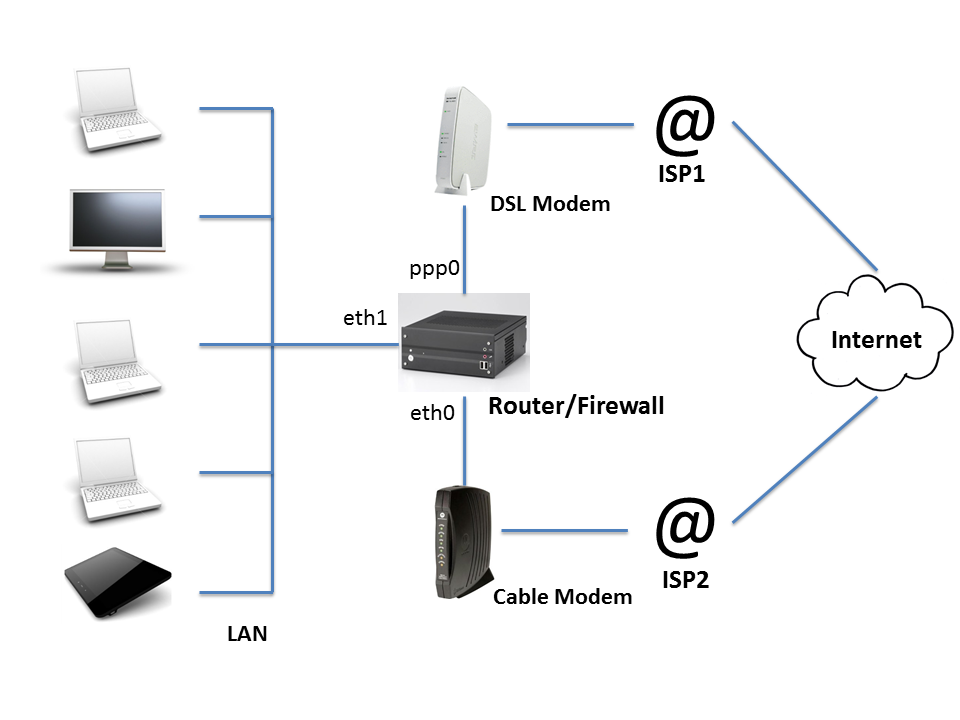
Internet → Modem → Router → Switch → Devices (Laptop, Phone, Server)
In production systems, the idea is similar, but scaled up with firewalls, load balancers, and multiple servers.
Think of the internet as a massive city-wide road network. Each device we discuss today has a specific role in moving traffic safely and efficiently.
Modem
A modem (Modulator–Demodulator) is the device that connects your private network to your Internet Service Provider (ISP).
What it does
Translates ISP signals (fiber, cable, DSL) into digital data
Establishes your network’s presence on the internet
Assigns your public IP address
Analogy-Think of a modem as a language translator at an international border.
Without it, your data can’t even enter the internet highway.
Router
A router connects multiple networks together — typically your private network and the public internet.
What it does
Assigns local (private) IP addresses to devices
Routes outgoing requests to the internet
Routes incoming responses back to the correct device
Performs NAT (Network Address Translation)
Analogy - A router is like a traffic police officer at an intersection:
This packet goes to your laptop
That packet goes to your phone
This one goes out to the internet
Hub vs Switch
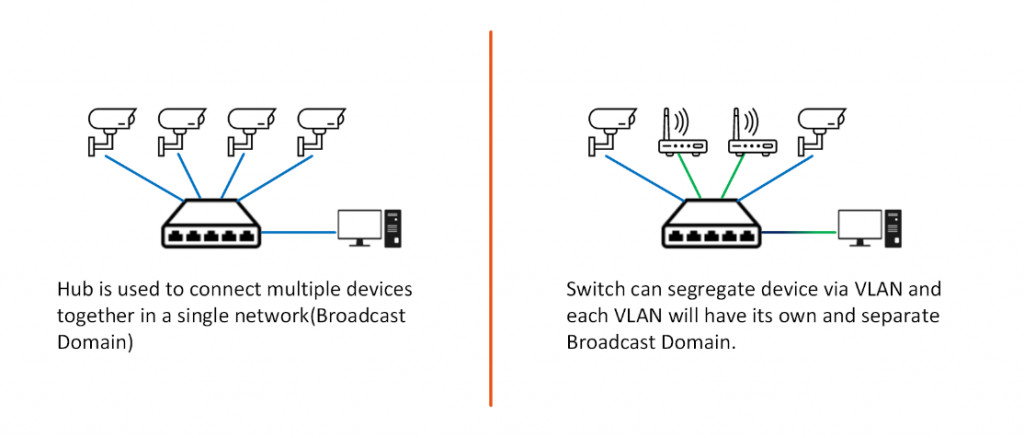
Hub
A hub sends incoming data to every device.
No intelligence
No filtering
Massive inefficiency
Analogy-A hub is like shouting in a room — everyone hears everything, even if it’s not for them.
Switch (Modern and Smart)
A switch sends data only to the intended device using MAC addresses.
Analogy-A switch is like a post office sorter:
Reads the address
Delivers the letter to the right mailbox
Why switches matter
Faster networks
Less noise
More security
Firewall
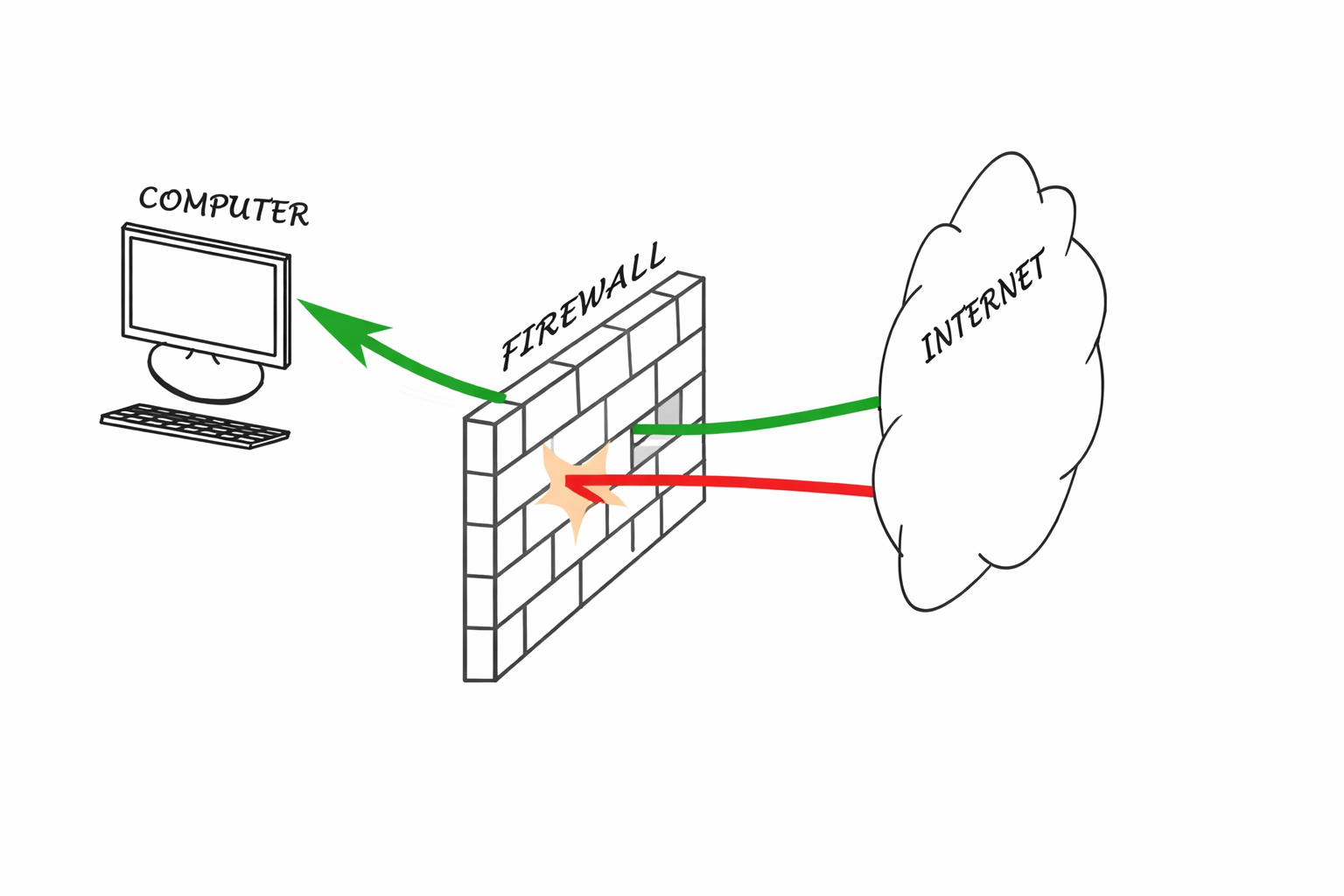
A firewall controls what traffic is allowed in or out of a network.
It filters based on:
IP addresses
Ports
Protocols
Rules you define
Analogy
A firewall is a security gate:
Allowed visitors pass
Suspicious traffic gets blocked
Everything is logged
Load Balancer
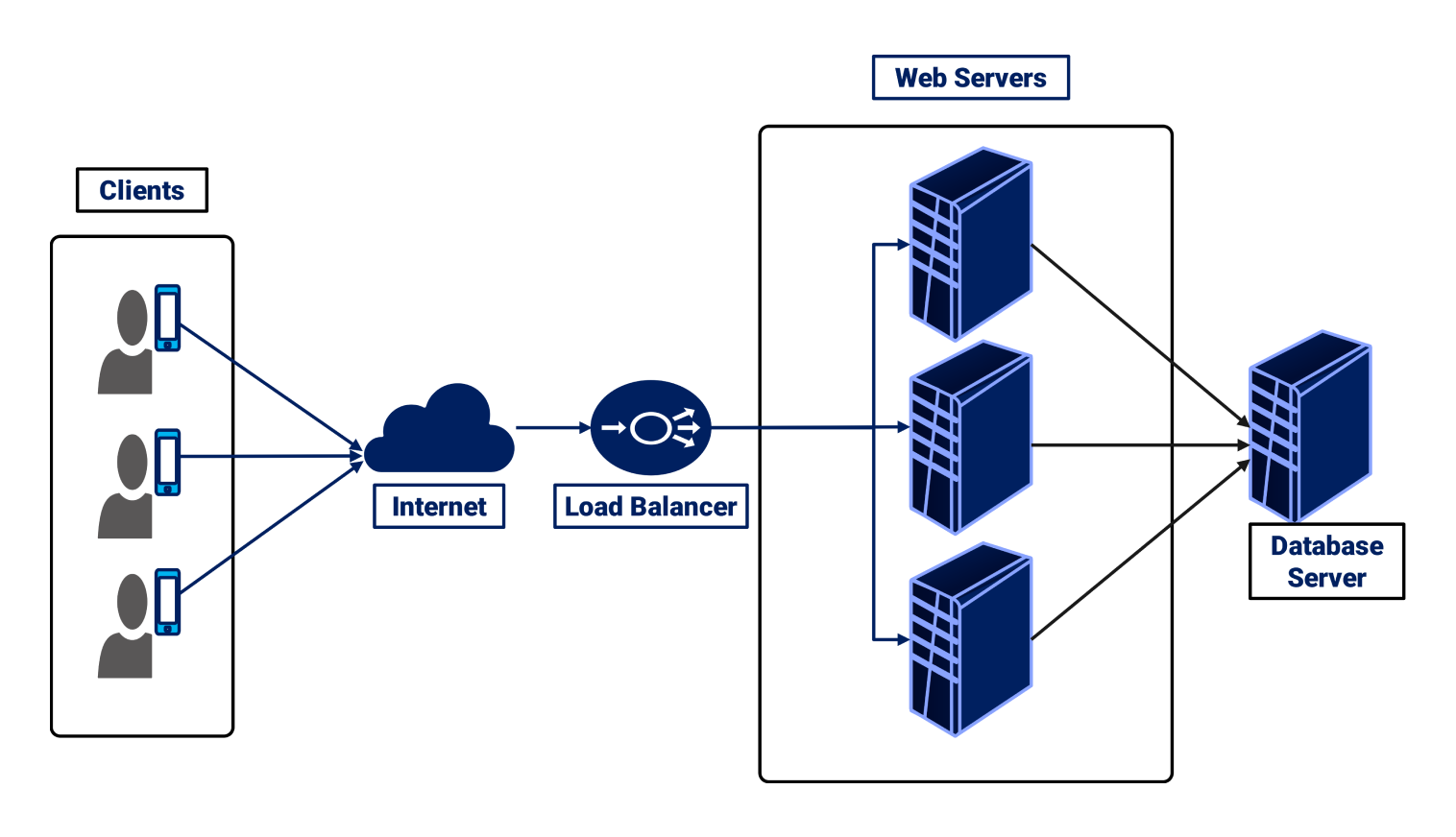
A load balancer distributes traffic across multiple servers so no single machine gets overwhelmed.
Analogy
A load balancer is a toll booth with multiple lanes:
Cars (requests) are spread evenly
Traffic keeps flowing
No single lane collapses
Why scalable systems need it
High availability
Fault tolerance
Horizontal scaling
How All These Devices Work Together (Real-World Setup)
A typical flow
Modem connects you to the ISP
Router directs traffic inside and outside
Switch connects local devices efficiently
Firewall enforces security rules
Load balancer distributes traffic to backend servers
In a production backend system
Routers = cloud routing tables
Firewalls = security groups
Load balancers = ALB / Nginx / HAProxy
Switches = virtual networking layers
Conclusion
At first glance, network devices can feel like background noise — boxes with blinking lights that “just work.” But in reality, every request your application handles depends on them.
The modem brings the internet in.
The router decides where traffic should go.
The switch ensures local communication is fast and efficient.
The firewall protects your system from what should never reach it.
And the load balancer makes sure your application can grow without falling over.


