JavaScript Modules: Import and Export Explained

JavaScript feels simple at first… until your entire project ends up inside one file.
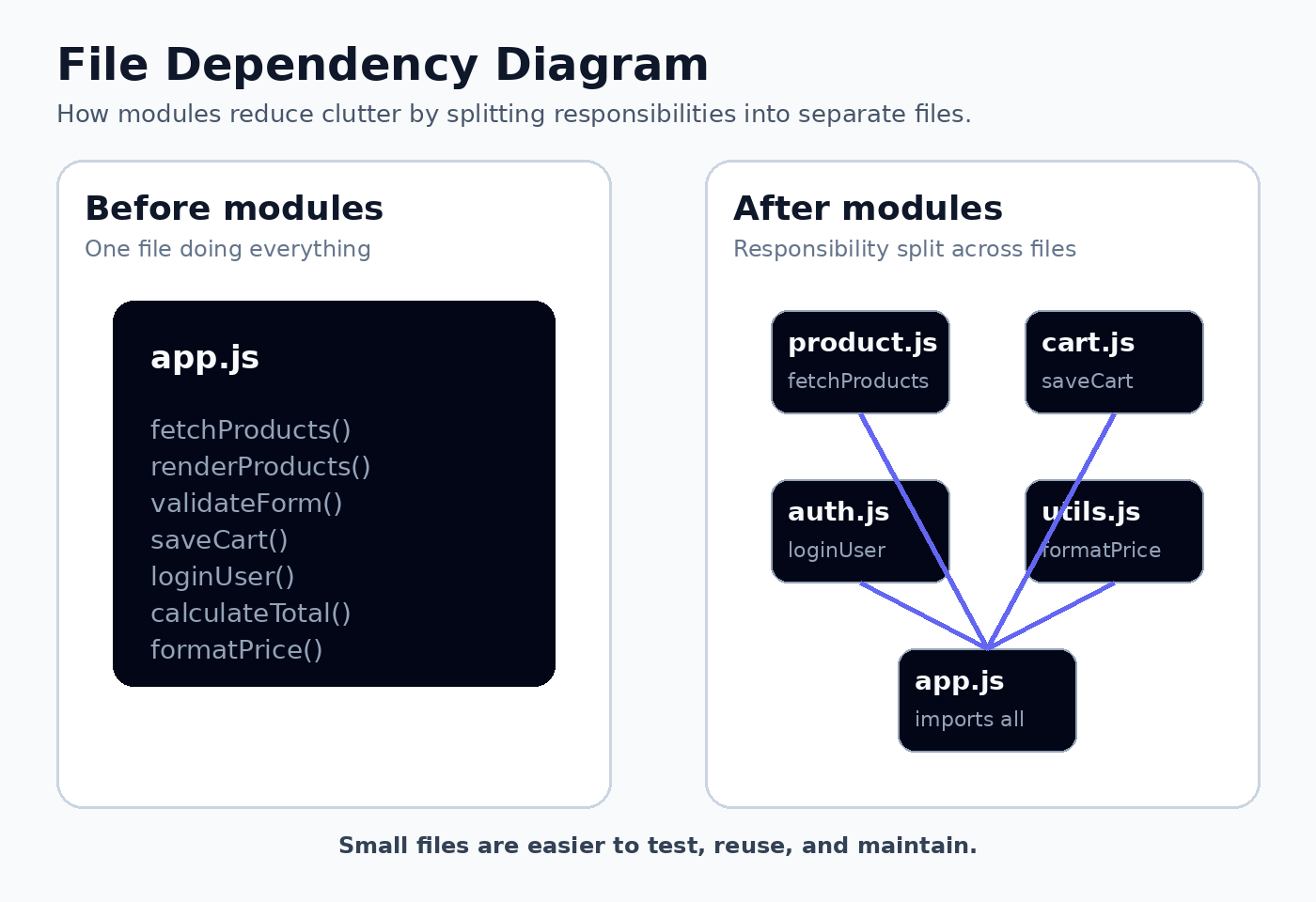
At the beginning, you might write everything together — variables, functions, API calls, UI logic. It works… but only for a while. As your project grows, that single file becomes harder to read, debug, and maintain.
That’s where JavaScript modules come in.
Modules help you split your code into smaller, focused files — and connect them using import and export.
The Problem Before Modules
Imagine writing everything in one file:
const products = ["Shoes", "Shirt", "Watch"];

function formatPrice(price) {
  return `₹${price}`;
}

function calculateDiscount(price, discount) {
  return price - price * (discount / 100);
}

function addToCart(product) {
  console.log(`${product} added to cart`);
}

function loginUser(username) {
  console.log(`${username} logged in`);
}
Looks okay… but scale this up and you’ll face problems:
Hard to read
Difficult to reuse code
Debugging becomes messy
Team collaboration gets painful
What is a Module?
A module is simply a file with a specific responsibility.
Example structure:
project/
│── app.js
│── mathUtils.js
│── auth.js
│── cart.js
Each file does one job:
mathUtils.js→ calculationsauth.js→ login/logoutcart.js→ cart logic
Why Modules Are Needed
Modules bring structure.
Instead of chaos, you get:
Clear separation of logic
Better readability
Easier maintenance
Reusable code
Think of modules like building blocks instead of one giant block.
Exporting Functions or Values
To use code from another file, you need to export it.
Named Exports
// mathUtils.js
export const add = (a, b) => a + b;
export const subtract = (a, b) => a - b;
Import:
import { add, subtract } from "./mathUtils.js";

console.log(add(5, 3));
👉 Uses { } 👉 Names must match exactly
Export After Declaration
const add = (a, b) => a + b;
const subtract = (a, b) => a - b;

export { add, subtract };
Exporting Variables
// config.js
export const appName = "ShopEasy";
export const taxRate = 18;
Default Export
Used when a file has one main thing.
// greet.js
export default function greet(name) {
  return `Hello, ${name}`;
}
Import:
import greet from "./greet.js";

console.log(greet("Joydeep"));
👉 No { } 👉 Can rename during import
Default vs Named Exports
Named Export
export const add = (a, b) => a + b;

import { add } from "./mathUtils.js";
Default Export
export default function greet() {}

import greet from "./greet.js";
Key Differences
Named → uses
{ }Default → no
{ }Named → multiple allowed
Default → only one per file
Named → exact name required
Default → flexible naming
Using Both Together
// user.js
export const age = 21;

export default function getUser() {
  return "Joydeep";
}
import getUser, { age } from "./user.js";
Import Everything
import * as math from "./mathUtils.js";

console.log(math.add(2, 3));
Real Example
// price.js
export function formatPrice(price) {
  return `₹${price}`;
}

export function addTax(price) {
  return price + price * 0.18;
}
// cart.js
export default function addToCart(product) {
  return `${product} added`;
}
// app.js
import addToCart from "./cart.js";
import { formatPrice, addTax } from "./price.js";

const finalPrice = addTax(1000);

console.log(addToCart("Sneakers"));
console.log(formatPrice(finalPrice));
Benefits of Modular Code
Better organization
Easier maintenance
Reusability
Easier debugging
Cleaner teamwork
Common Mistakes
❌ Forgetting { } for named imports ❌ Using { } with default exports ❌ Mixing too many responsibilities in one file
When to Use What?
👉 Use named exports
- Multiple utilities
👉 Use default export
- One main function/component
Final Thoughts
Modules are not just a feature — they change how you think about code.
Instead of writing one huge script, you build your application in small, manageable pieces.
That’s what makes your code scalable and professional.
Quick Recap
Modules = separate files
export→ share codeimport→ use codeNamed exports use
{ }Default exports don’t
Modular code = clean + scalable
Practice Questions
Why are modules important?
Difference between default and named export?
How to export multiple functions?
How to import everything from a module?


