Understanding Objects in JavaScript

In JavaScript, we often create things that have both data and actions.
For example, a student can have a name and age, and also perform an action like showing details. A car can have a brand and color, and also do something like start or stop. When programs begin to include these kinds of real-world things, writing everything in a random way can make the code harder to manage.
That is where Object-Oriented Programming (OOP) becomes helpful.
OOP is a way of writing code that helps us organize related values and functions together. Instead of repeating similar code again and again, we can create a structure once and then use it to make multiple similar objects. This makes our code cleaner, easier to understand, and more reusable.
In JavaScript, OOP is commonly understood through classes and objects. Once this idea becomes clear, it becomes much easier to model real-world things in code in a neat and practical way.
In this article, we will understand Object-Oriented Programming in JavaScript in a simple and beginner-friendly way.
What Are Objects in JavaScript?
In JavaScript, an object is a collection of key–value pairs.
Each value is stored with a key (also called a property name) that helps us identify it.
Think of an object like a profile card for something.
Example:
const person = {
  name: "Rahul",
  age: 25,
  city: "Kolkata"
};
Here:
| Key | Value |
|---|---|
| name | Rahul |
| age | 25 |
| city | Kolkata |
So this object stores three pieces of information about a person.
Visual Representation of an Object
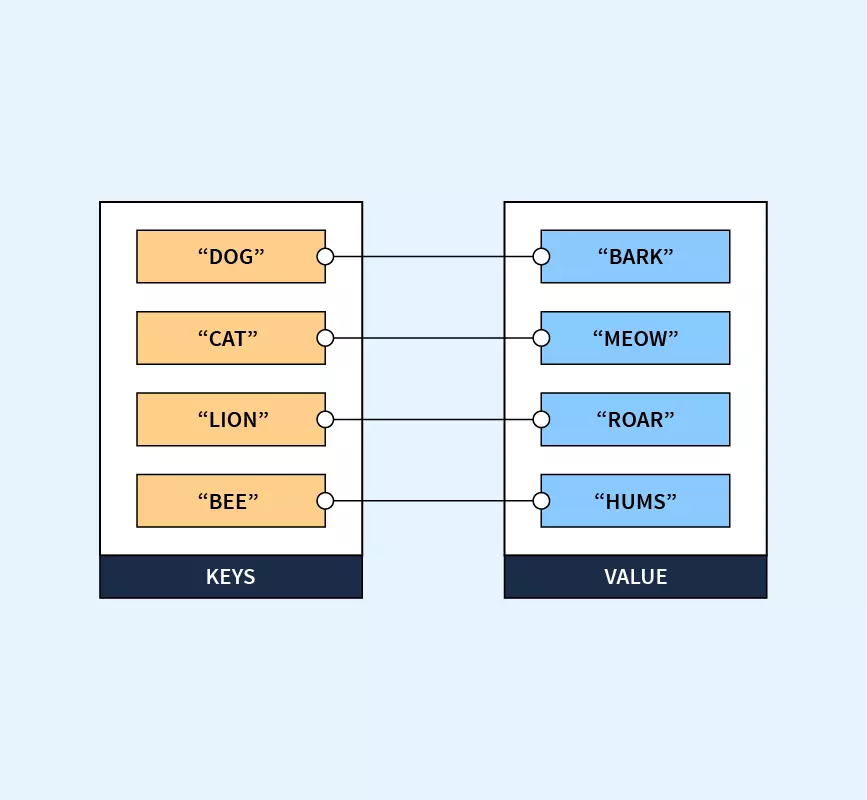
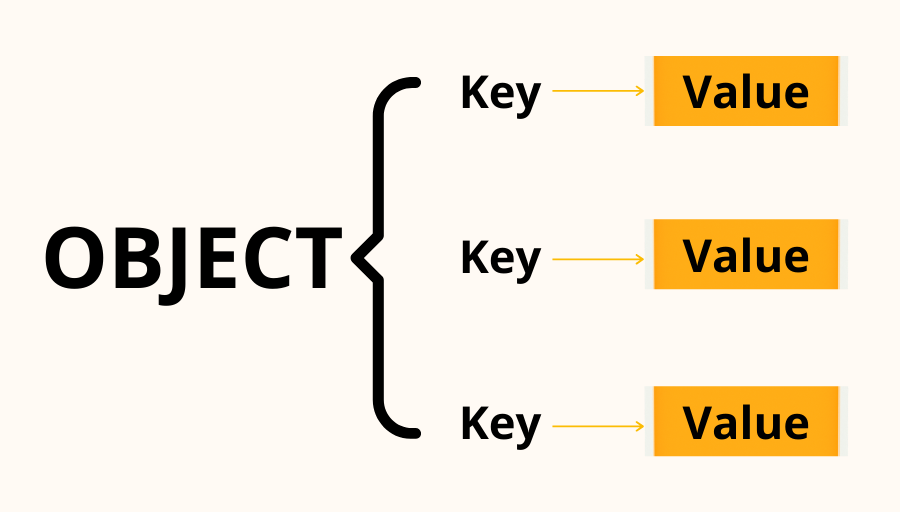
You can think of an object as a container where each piece of data has a label (key).
Why Do We Need Objects?
Objects help us organize related data.
Instead of writing this:
const name = "Rahul";
const age = 25;
const city = "Kolkata";
We can write:
const person = {
  name: "Rahul",
  age: 25,
  city: "Kolkata"
};
Now everything related to that person is stored inside one object.
This makes code:
Easier to read
Easier to manage
More structured
Objects are used everywhere in JavaScript — from storing user data to working with APIs.
Creating Objects
The most common way to create an object is using curly braces {}.
Example:
const car = {
  brand: "Toyota",
  model: "Innova",
  year: 2022
};
Each property is written as:
key: value
And properties are separated using commas.
Accessing Object Properties
Once we create an object, we often want to access the values inside it.
JavaScript gives us two ways to do this.
1. Dot Notation
The most common method.
const person = {
  name: "Rahul",
  age: 25,
  city: "Kolkata"
};

console.log(person.name);
console.log(person.age);
Output:
Rahul
25
Here we access the property using:
object.property
2. Bracket Notation
Another way is using square brackets.
console.log(person["city"]);
Output:
Kolkata
Bracket notation is useful when the property name is dynamic or stored in a variable.
Example:
const key = "name";
console.log(person[key]);
Updating Object Properties
Objects are mutable, which means we can change their values.
Example:
const person = {
  name: "Rahul",
  age: 25,
  city: "Kolkata"
};

person.age = 26;

console.log(person);
Output:
{ name: "Rahul", age: 26, city: "Kolkata" }
We simply assign a new value to the property.
Adding New Properties
We can also add new properties to an existing object.
const person = {
  name: "Rahul",
  age: 25
};

person.city = "Kolkata";

console.log(person);
Output:
{ name: "Rahul", age: 25, city: "Kolkata" }
JavaScript automatically adds the new property.
Deleting Properties
If we want to remove a property, we use the delete keyword.
const person = {
  name: "Rahul",
  age: 25,
  city: "Kolkata"
};

delete person.city;

console.log(person);
Output:
{ name: "Rahul", age: 25 }
Looping Through Object Keys
Sometimes we want to go through every property in an object.
For this we use the for...in loop.
Example:
const person = {
  name: "Rahul",
  age: 25,
  city: "Kolkata"
};

for (let key in person) {
  console.log(key, person[key]);
}
Output:
name Rahul
age 25
city Kolkata
Here:
keyrepresents the property nameperson[key]gives the value
Array vs Object (Important Difference)
Beginners often confuse arrays and objects, but they serve different purposes.
Comparison
| Feature | Array | Object |
|---|---|---|
| Structure | Ordered list | Key-value pairs |
| Access | Index | Property name |
| Example | [10,20,30] |
{name:"Rahul"} |
Visual Comparison

Use:
Arrays for lists
Objects for structured data
Mini Practice Assignment
Try this small exercise in your browser console.
Step 1: Create a Student Object
const student = {
  name: "Amit",
  age: 21,
  course: "Computer Science"
};
Step 2: Update a Property
student.age = 22;
Step 3: Add a New Property
student.city = "Delhi";
Step 4: Print All Keys and Values
for (let key in student) {
  console.log(key, student[key]);
}
Running these steps will help you understand how objects behave.
Final Thoughts
Objects are one of the most important concepts in JavaScript. Almost everything you work with in JavaScript — user data, API responses, configurations — is represented using objects.
Once you understand objects, many other JavaScript concepts start making more sense.
So the best way to learn them is simple:
Open your browser console and experiment with creating and modifying objects yourself.


