JavaScript Promises Explained Through Online Multiplayer Matchmaking 🎮
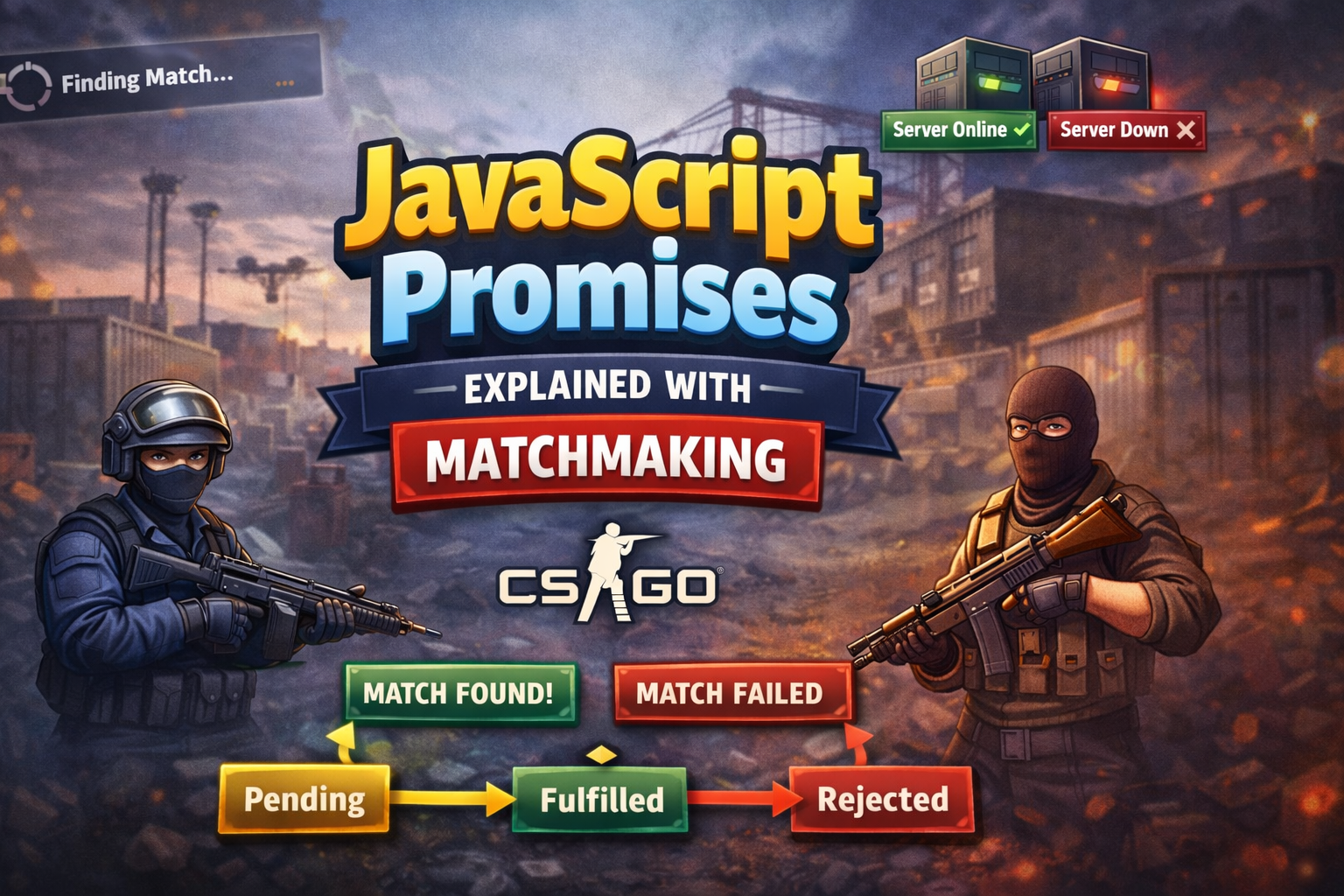
If you’ve ever played an online multiplayer game, you already understand JavaScript Promises — even if you don’t realize it yet.
You open the game, click “Find Match”, and then… you wait.
You don’t instantly jump into the game. Instead, the system starts searching in the background — looking for players, checking servers, matching skill levels. While this is happening, you’re free to browse menus, customize your character, or even cancel the search. The game doesn’t freeze.
This is exactly how JavaScript Promises work
A Promise represents a task that starts now but finishes later. JavaScript doesn’t stop and wait for it. It continues running other code while the Promise quietly does its job in the background — just like matchmaking.
In JavaScript, a Promise represents the result of an asynchronous operation.
Promise States
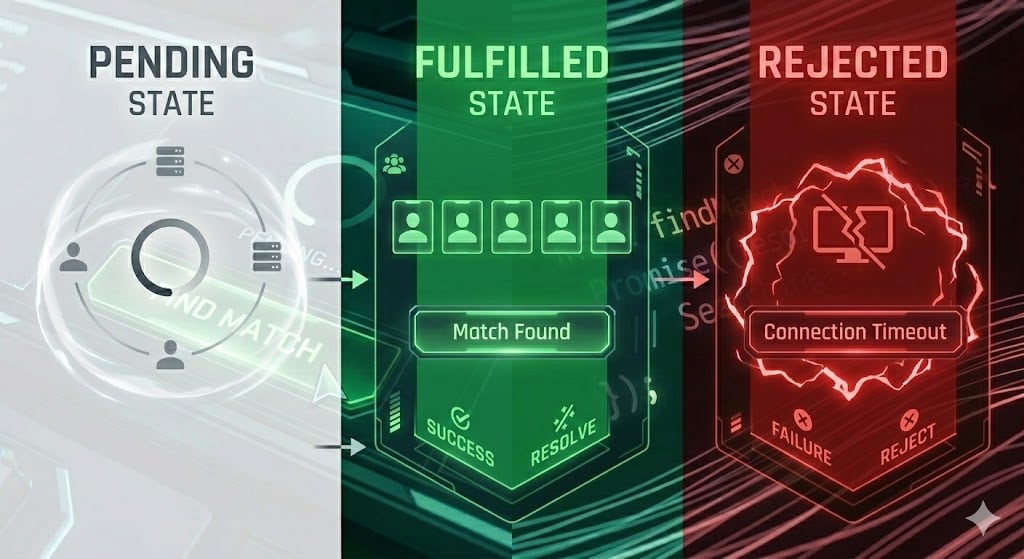
From the moment matchmaking begins, it can move through three possible states:
1.Pending
You’ve clicked “Find Match.”
The search is on. Players are being matched, servers are checked, and the outcome is still unknown.
In JavaScript terms, the Promise has been created, but it hasn’t completed yet.
2.Fulfilled
Success! 🎉
Enough players are found, the lobby fills up, and the match begins.
This is when a Promise completes successfully and returns the result you were waiting for.
3.Rejected
Something went wrong 😞
Maybe the servers are down, the ping is too high, or there simply aren’t enough players.
Here, the Promise fails and returns an error instead of a result.
Promise Creation
Creating a Promise in JavaScript is like clicking the “Find Match” button in a multiplayer game.At that moment, you’re not guaranteed a match — you’re only starting the process.
const findMatch = new Promise((resolve, reject) => {
  const playersFound = true;

  setTimeout(() => {
    if (playersFound) {
      resolve("Match found! Lobby is ready.");
    } else {
      reject("Matchmaking failed. No players available.");
    }
  }, 2000);
});
What’s happening here?
new Promise()→ Player clicks Find Matchresolve()→ Match successfully found.Marks the Promise as fulfilled.reject()→ Matchmaking failed.Sometimes things go wrong — servers crash, players quit, or the queue is empty.That’s when
rejectis used.setTimeout()→ Simulates waiting for players
At this point, the Promise is pending. JavaScript moves on, just like the game UI stays responsive while matchmaking runs.
Handling a Promise
Once matchmaking finishes, the game reacts differently depending on the outcome.
JavaScript does the same using .then() and .catch().
findMatch
  .then((message) => {
    console.log(message);
    console.log("Loading game...");
  })
  .catch((error) => {
    console.error(error);
    console.log("Showing retry button...");
  });
.then()runs only if the match is found..then()receives the value passed toresolve().It runs only when the Promise is fulfilled.catch()runs only if matchmaking fails..catch()receives the reason passed toreject().It runs **only when the Promise is rejected.**This is where you handle errors gracefully
Just like in a real game:
Match found → load the map
Match failed → show an error or retry option
Cleanup with .finally():
Some things happen regardless of success or failure — like stopping the loading animation.
findMatch
  .finally(() => {
    console.log("Stopping matchmaking animation");
  });
.finally() runs every time, whether the Promise is fulfilled or rejected.
Promise Chaining
Real games don’t stop at finding a match.
They load the map, sync players, and then start the game — step by step.
This is where Promise chaining comes in
function loadMap() {
  return new Promise((resolve) => {
    setTimeout(() => resolve("Map loaded"), 1000);
  });
}

function startGame() {
  return new Promise((resolve) => {
    setTimeout(() => resolve("Game started"), 1000);
  });
}

findMatch
  .then((message) => {
    console.log(message);
    return loadMap();
  })
  .then((mapStatus) => {
    console.log(mapStatus);
    return startGame();
  })
  .then((gameStatus) => {
    console.log(gameStatus);
  })
  .catch((error) => {
    console.error("Error:", error);
  });
What this represents in real life:
Find players
Load the game map
Start the match
Each step waits for the previous one to finish — no callbacks, no chaos.
Promise Static Methods: Handling Multiple Matchmaking Scenarios
In multiplayer games, you’re rarely dealing with just one thing at a time.
There are:
Multiple players joining
Multiple servers responding
Multiple checks happening in parallel
JavaScript handles these situations using Promise static methods — methods that live directly on the Promise object.
1.Promise.resolve() – Instant Success
Sometimes the game already has what it needs.
For example, you’re reconnecting to a match that’s already active.
const instantMatch = Promise.resolve("Reconnected to ongoing match");

instantMatch.then((message) => {
  console.log(message);
});
Real-life meaning:
Match already exists
No waiting needed
Promise is instantly fulfilled
Useful when you want to return a Promise without doing async work.
2.Promise.reject() – Instant Failure
Sometimes the game knows immediately that something won’t work.
For example, you’re banned or offline.
const instantFail = Promise.reject("Cannot join match: No internet");

instantFail.catch((error) => {
  console.error(error);
});
Real-life meaning:
No matchmaking attempt needed
Promise is instantly rejected
3.Promise.all() – All Players Must Be Ready
A match can start only when everyone is ready.
Promise.all() waits for all Promises to succeed.
const player1 = Promise.resolve("Player 1 ready");
const player2 = Promise.resolve("Player 2 ready");
const player3 = Promise.resolve("Player 3 ready");

Promise.all([player1, player2, player3])
  .then((players) => {
    console.log("Match starting:", players);
  })
  .catch((error) => {
    console.error("Match cancelled:", error);
  });
Rules of Promise.all():
All Promises must resolve ✅
If one fails, everything fails ❌
Result is an array of resolved values
Perfect for loading assets, players, or configs together.
4.Promise.any() – First Server That Responds Wins
Games often ping multiple servers and connect to the first one that responds.
That’s exactly what Promise.any() does.
const server1 = new Promise((_, reject) =>
  setTimeout(() => reject("Server 1 down"), 1000)
);

const server2 = new Promise((resolve) =>
  setTimeout(() => resolve("Connected to Server 2"), 2000)
);

Promise.any([server1, server2])
  .then((result) => {
    console.log(result);
  })
  .catch((error) => {
    console.error("All servers failed");
  });
Rules of Promise.any():
Resolves as soon as one Promise succeeds
Ignores failures unless all fail
Great for fallback strategies
5.Promise.race() – Whoever Responds First (Win or Lose)
Sometimes the game just takes the first response, good or bad.
const fastServer = new Promise((resolve) =>
  setTimeout(() => resolve("Fast server connected"), 1000)
);

const slowServer = new Promise((resolve) =>
  setTimeout(() => resolve("Slow server connected"), 3000)
);

Promise.race([fastServer, slowServer])
  .then((result) => {
    console.log(result);
  });
Rules of Promise.race():
First Promise to settle wins
Can be resolve or reject
Often used for timeouts
6.Promise.allSettled() – Check Everyone’s Status
Sometimes you don’t want to cancel the match —
you just want to know who is ready and who isn’t.
const p1 = Promise.resolve("Player 1 ready");
const p2 = Promise.reject("Player 2 disconnected");

Promise.allSettled([p1, p2]).then((results) => {
  console.log(results);
});
Output looks like:
[
  { status: "fulfilled", value: "Player 1 ready" },
  { status: "rejected", reason: "Player 2 disconnected" }
]
Useful for diagnostics and partial success handling.
Conclusion
At its core, JavaScript Promises aren’t some abstract or complicated concept — they’re just a way to deal with waiting.
Online multiplayer games have been solving this problem for years. When you click Find Match, the game doesn’t freeze. It keeps running while something uncertain happens in the background. Eventually, the match either starts or it doesn’t. And when that result arrives, the game reacts accordingly.
That’s exactly how Promises work.
States tell you where the process is
resolveandrejectdecide the outcome.then()and.catch()react to that outcomeChaining models real-world sequences
Static methods handle multiple async tasks at once
Once you see Promises this way, they stop feeling like “JavaScript magic” and start feeling like common sense.
And the best part?
This same mental model scales — from loading a game lobby to fetching APIs, handling payments, uploading files, or syncing data in real-world applications.
So the next time you’re stuck on a matchmaking screen, waiting for players to join, remember:
you’re not just waiting — you’re watching a Promise in action.


